Access and Audit
Access control and audit trail
Access is limited by role and every action is recorded. When an auditor asks a question, the answer is already in the log on your own server.
How access is limited
Users belong to organisations and teams, and permissions are granted through roles. Starting a scan, closing a finding, pulling a report and administering the system are separate permissions. A team sees only the assets of its own organisation, and that boundary is enforced on the server.
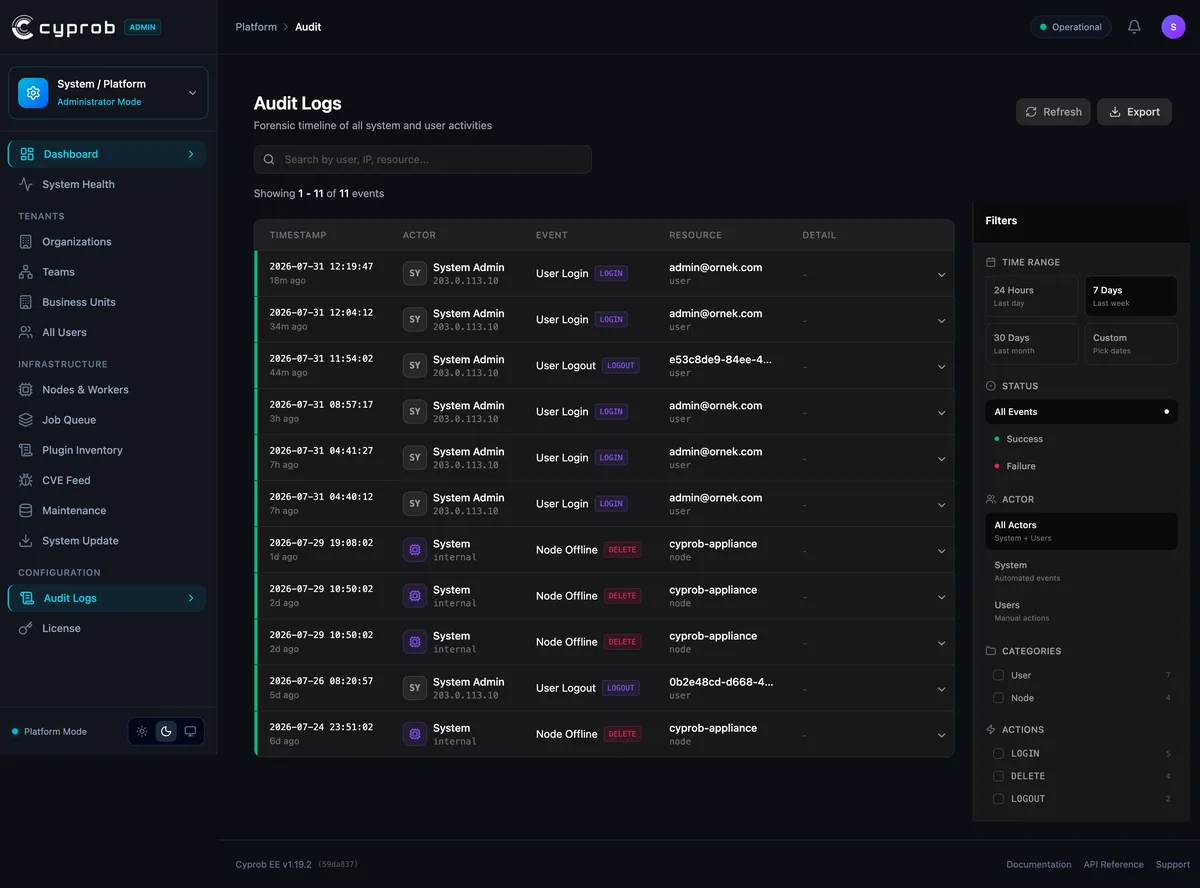
What the audit trail records
Sign-in, permission changes, scan starts and finding status changes are logged with the user and the time. Who closed a particular finding, and when, is answered from the record instead of from memory. The log stays in your own database, so your audit and retention rules apply to it directly.
Common questions
Is the access boundary enforced in the interface or on the server?
On the server. A team sees only its own organisation's assets, and attempts that bypass the interface hit the same boundary.
Can we find out who closed a finding?
Yes. Logins, permission changes, scan starts and finding status changes are logged with user and timestamp. The answer sits in the log.
How fine-grained are the permissions?
Action-level. Starting a scan, closing a finding, pulling a report and administering the system are separate permissions, granted through roles on organisations and teams.