Scanning
Network discovery and vulnerability scanning
Discovery maps the assets on your network and the scan queries their services. UDP is in the default scope, so the surface that is easy to miss still enters the inventory.
From discovery to finding
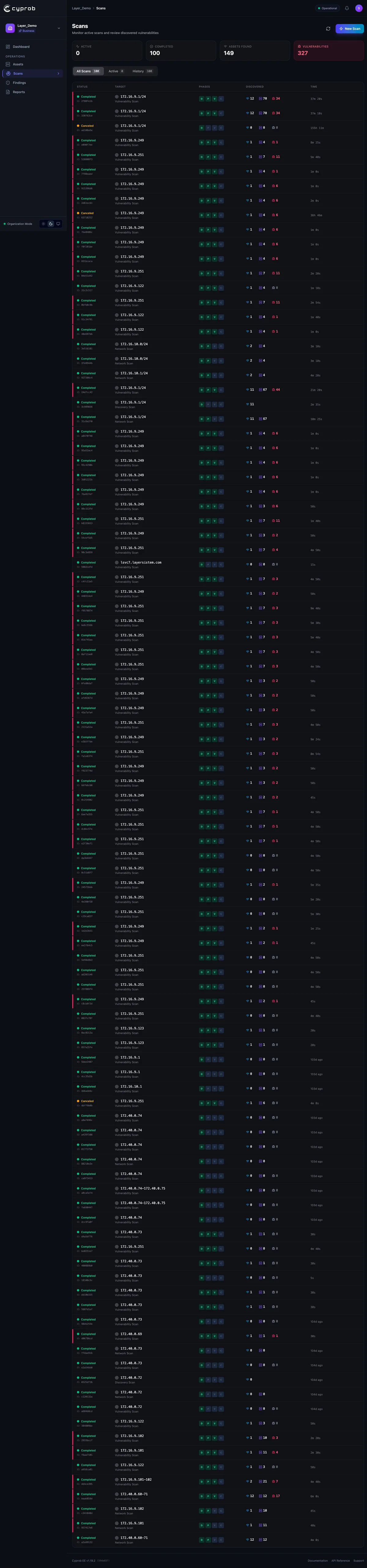
A scan runs in three stages. Discovery finds the live assets in the target range. Service identification works out which software answers on which port of each asset. The vulnerability scan then applies the check catalog to the identified services. The output of each stage is the input of the next, and the asset inventory builds itself along the way.
Why UDP is in the default scope
In enterprise networks, services such as DNS, SNMP and NTP speak over UDP. A UDP scan takes longer to complete, which is why many products leave it out. Cyprob keeps it inside the default scope. The part of the surface you do not see on a port list still reaches the inventory.
When results arrive
Everything found during a scan reaches the screen immediately. On a long network scan the team starts seeing results within the first minutes, and a critical finding does not wait for the scan to finish.
Common questions
Are UDP services really scanned?
Yes, in the default scope. Services such as DNS, SNMP and NTP speak over UDP and often go unscanned for years because UDP is slow. In Cyprob that surface enters the inventory too.
Do we wait for a scan to finish before seeing results?
No. Everything found lands on screen as it is found. In a long scan the team is working with results from the first minutes.
Is the inventory entered by hand?
No. Discovery finds the live assets in the target range, service identification works out what speaks on which port, and each stage feeds the next. The inventory builds itself.