Installation
Installation and first configuration
Installation takes three steps: import the OVA image, activate the licence, open the first discovery scan. All of it happens on servers you own.
Installing from the OVA image
The prepared OVA image is imported into your virtualisation environment. On first boot the system configures itself and the management console becomes reachable over your network. You enter the licence key and the product activates. On a closed network this step needs no outbound connection.
Verifying the OVA signature
Every Cyprob OVA image is signed with Cyprob's release key. A .asc signature file with the same name sits next to the image. Before installing, verify that the image comes from Cyprob and has not been changed:
gpg --import cyprob-release.asc
gpg --verify cyprob-appliance-<version>.ova.asc cyprob-appliance-<version>.ova
The output should show Good signature from "Cyprob Release <[email protected]>". The key's fingerprint is FCC3 2A64 CC77 446C AEAD 46B3 9A10 8A82 141A B2ED. On Windows, the same check is done with Gpg4win. If the signature does not verify, do not install the image and contact us.
Public key: cyprob.io/cyprob-release.asc
Installing with apt
Institutions that keep a single operating system standard install the product from the apt repository. The package places the same components on your existing server, and everything after that point matches the OVA route.
The first scan
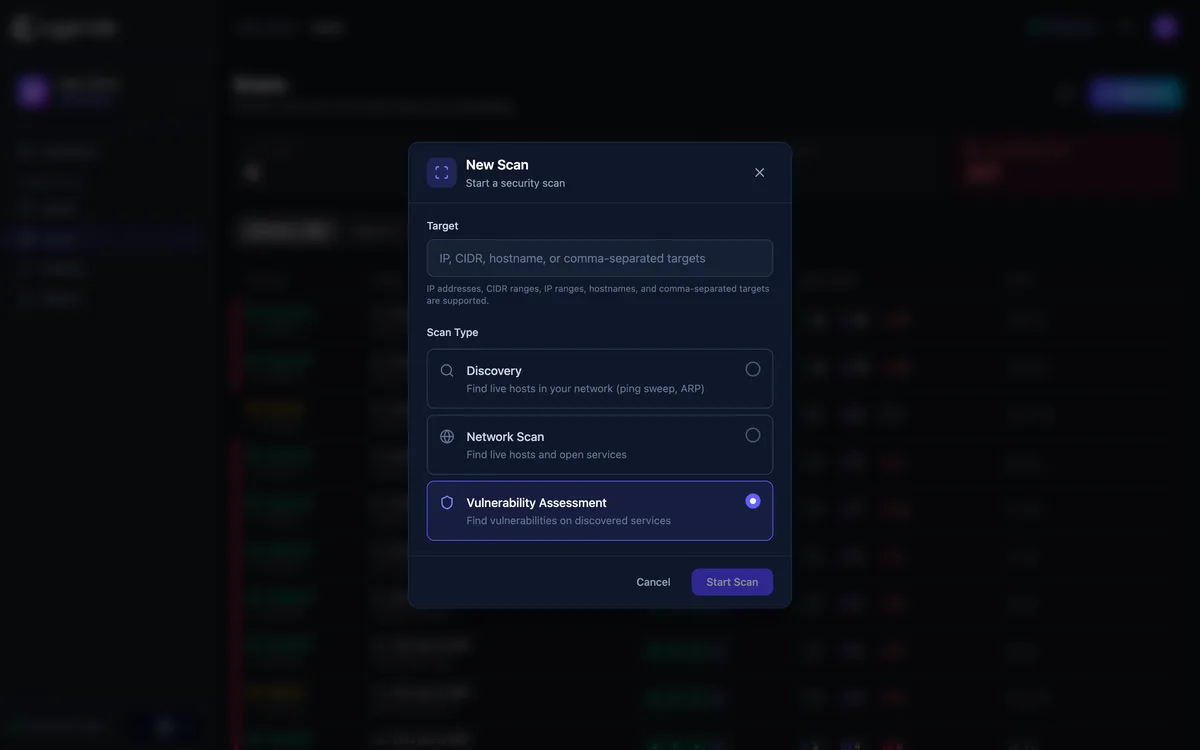
You enter the target range in the console and open a discovery scan. Results start appearing while the scan is still running. On the first day the team sees the part of the network estate that had not been visible until then.
Common questions
How long does installation take?
Minutes. The OVA image is imported into your virtualisation platform, the system configures itself on first boot and the console opens over the network.
Does licence activation need the internet?
No. The key is entered in the console, and on a closed network the step completes without any outbound connection.
What does the first scan show?
The surface you have not been seeing. A target range is entered, discovery starts, and results appear on screen while the scan is still running.